
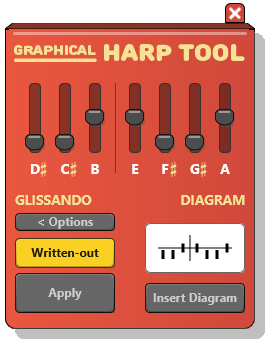

A tool for writing harp glissandos and diagrams—fast
Designed by a composer who writes orchestral scores in Sibelius, The Graphical Harp Tool addresses long-standing frustrations with harp notation and playback—without hacks, workarounds, or guesswork.
Drawing on Rosner’s work as a film composer and as a composer/arranger for concert music projects, the tool grew directly out of day-to-day professional use: creating harp parts that must be playable, clear, elegant, and publisher-quality.
From accurate playback, to intuitive pedal changes and diagrams, to flexible glissando notation options, The Harp Tool helps you create harp parts that look and sound like they belong in a professionally engraved score.
Because harp notation shouldn’t feel mysterious. And your harpist shouldn’t have to translate your intentions.
Features
1. Insert harp glissandos
Select two notes and open the
Click the Apply button to insert the glissando with the corresponding accidentals.
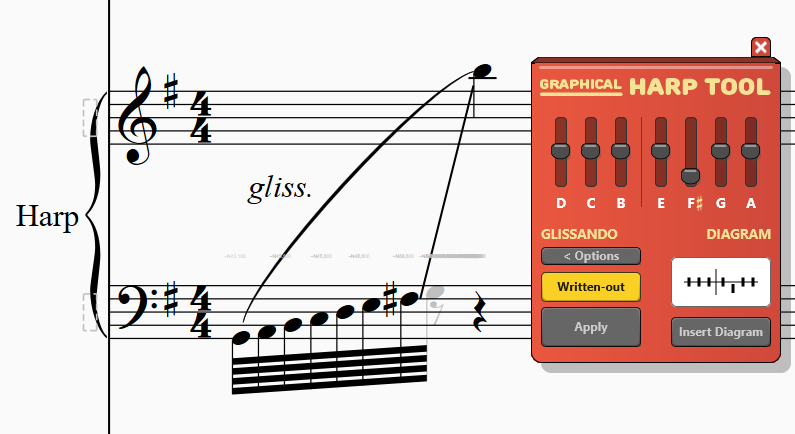
2. Non-spelled glissandos
For subsequent line movements, you may not want the scale notes to be spelled out.
Turn off the Written Out functionality to connect the notes with a line while adding beams to the starting note.
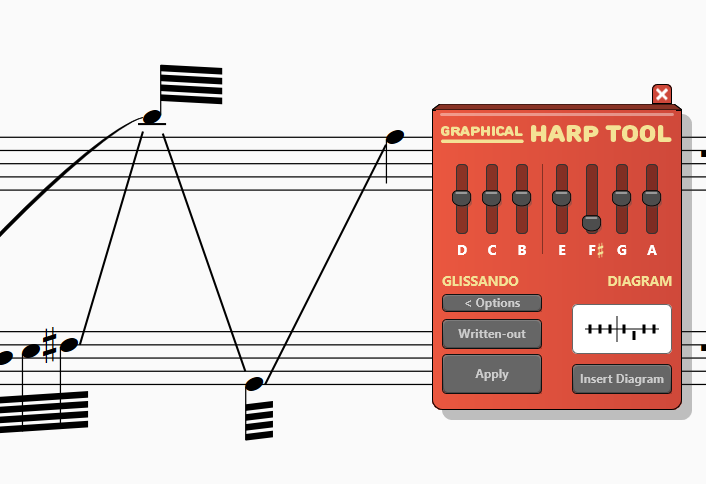
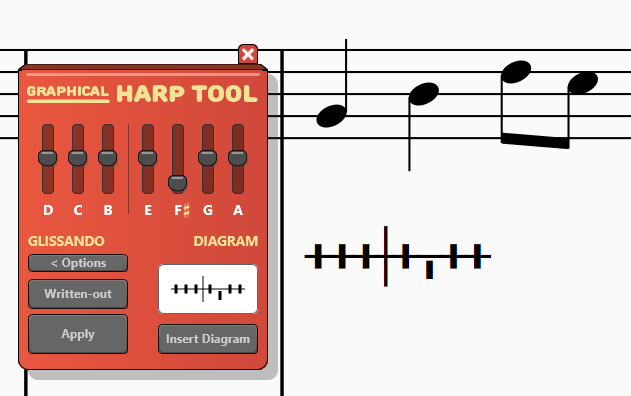
3. Pedal Diagrams Insertion
Create and insert pedal diagrams visually using the pedal board.
Select a note or measure and click Insert Diagram to add it to your score.
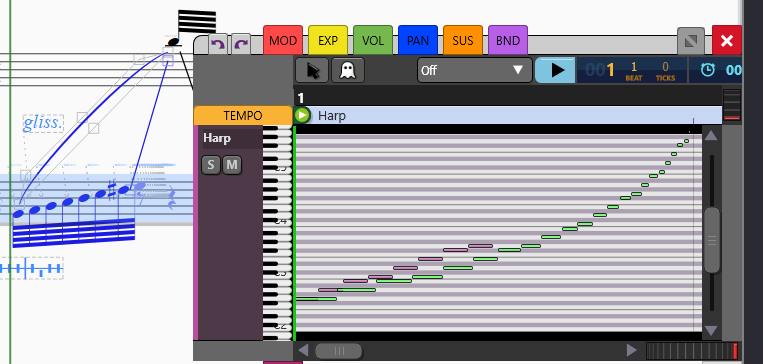
4. Glissando Playback
Listen to glissandos during playback. Corresponding MIDI notes (added as hidden text) cover the complete glissando range.
Image shown: Graphical MIDI Tools plugin
Get The Graphical Harp Tool
Save time by notating harp glissandos easily and intuitively.
Harp Tool + Graphical MIDI Tools Perpetual Bundle
Get the Get Graphical MIDI Tools + the Harp Tool at a discounted price